
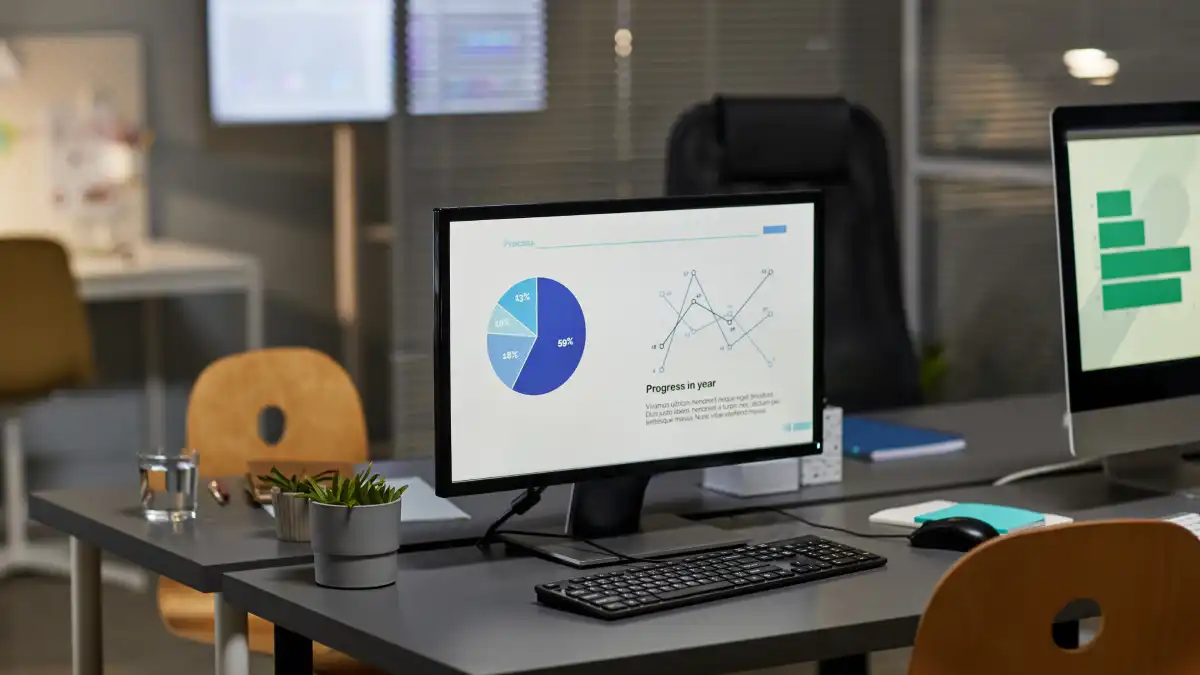
Most founders are not lacking data. They are drowning in it.
Metrics from the CRM. Financial reports from the accounting team. Updates in Slack. Weekly sales numbers. Customer satisfaction scores. The information exists — spread across a dozen different places, in different formats, updated at different times.
An executive dashboard does not add more data to that picture. It does the opposite. It pulls the right information into one place, in a format that supports fast, clear decisions.
Why Too Much Information Is a Leadership Problem
Research from MIT's Sloan Management Review has found that companies using real-time performance data consistently outperform those that rely on periodic reporting — in revenue growth, operational efficiency, and decision quality.
A 2020 Harvard Business Review study found that roughly 34% of executives do not have enough time to analyze the data available to them, and that the majority of business data goes unused in actual decisions.
The problem is not finding information. It is knowing what to act on. When a leader has to spend 30 minutes pulling numbers together before making a decision, many decisions simply do not get made — or get made on instinct rather than evidence.
What an Executive Dashboard Actually Does
A well-designed executive dashboard is not a report. It is a live view of the business. It pulls from multiple data sources automatically, updates in real time, and surfaces the metrics that matter at the leadership level.
The difference between a dashboard and a report is worth understanding. A report is a snapshot of the past, prepared by someone, delivered on a schedule. A dashboard is always current, always available, and requires no manual preparation. Leaders can open a leadership meeting with live numbers on the screen — not last week's summary compiled by the finance team on Thursday afternoon.
At OpsLocker, building this visibility layer is a core part of every engagement. Operational and financial data come together in one interface, so the leadership team is always working from the same picture — and the founder can see the state of the business without asking anyone to pull a report.
Five Dashboard Types That Support Executive Decision-Making
1. Business Performance Dashboard
The top-level view: revenue, margin, cash position, and the key operational metrics that reflect overall business health. Designed for the CEO or founder who needs a quick read on where the business stands without pulling reports from three different systems. Think of this as the instrument panel — the view that tells you whether everything is operating within normal range or whether something needs immediate attention.
2. Operational Metrics Dashboard
Tracks internal efficiency — process cycle times, team capacity, project status, and the early indicators that predict downstream performance. This is where a fractional COO spends significant attention. The operational dashboard makes problems visible before they become crises. A delivery timeline starting to slip shows up here days before it becomes a client complaint.
3. Financial Performance Dashboard
Revenue by segment, gross margin, cash flow, and budget against actual. Built in partnership with the fractional CFO to connect financial results to the operational decisions driving them. Not just what happened, but why — which is the question most financial reports fail to answer.
4. Team Performance Dashboard
Brings together the metrics that help leaders understand how the team is performing — capacity utilization, project completion rates, and the indicators that inform decisions about hiring, structure, and development. Particularly useful for law firms and professional service businesses where team utilization directly affects revenue and profitability.
5. Goals and Progress Dashboard
Maps individual and team goals to company-level priorities, so every leader can see how their work connects to the bigger picture. This is not about tracking people — it is about alignment. Teams that can see how their work fits tend to make better prioritization decisions and need less direction from above.
What Makes a Dashboard Actually Useful
Most dashboards fail because they were designed to show everything rather than to support specific decisions. The person who built it wanted to demonstrate thoroughness. The people who use it need clarity. These are different goals.
A few principles that hold across every well-designed executive dashboard:
- The most critical metrics are visible on one screen without scrolling — if a leader checks one number every morning, that number should be immediately visible
- Five to nine key metrics at the top level — more than that and the important signals get lost in the noise
- A mix of forward-looking and backward-looking metrics — one tells you where you are headed, the other confirms what happened
- Data updates automatically — if someone has to refresh it manually, it will not stay current and will not get used
- Clicking into a number reveals the detail when something needs investigation, without cluttering the top-level view
The Design Process Matters
A dashboard built without input from the people who will use it is rarely a dashboard that gets used. The design process should start with a direct conversation: what decisions does this dashboard need to support? What questions does the leadership team ask most often? What information is currently hardest to find?
Different executives need different views. A CEO's dashboard looks different from a CFO's — different metrics, different levels of detail, different cadence of review. Building one dashboard for everyone and expecting it to serve everyone equally is a common reason dashboards end up ignored.
The review cadence should be built into the design. Daily metrics for things that change quickly. Weekly metrics for operational performance. Monthly metrics for financial performance. The dashboard should reflect how often each metric actually needs attention — not display everything at every level simultaneously.
Dashboards as a Decision Tool, Not a Reporting Tool
The most effective use of executive dashboards is not passive. The best implementations put the dashboard at the center of the leadership operating rhythm.
Leadership meetings open with the dashboard visible to the whole room. Numbers that are off-target get discussed immediately, with context from the people who own them. Decisions that used to take a week — because someone needed to go pull data first — happen in the meeting itself.
This is the shift from a reporting culture to a decision culture. Reports are prepared and presented. Decisions are made from shared, current information by people who have the authority to act. The dashboard makes the second model possible without requiring anyone to do extra work before the meeting.
How OpsLocker Builds the Visibility Layer
The OpsLocker engagement includes building the data infrastructure that makes this kind of visibility possible. We connect the existing tools — CRM, financial software, project management systems, and any other relevant data sources — into one dashboard that reflects the actual state of the business in real time.
This is not a generic template. It is built around the specific metrics that matter for your company, your industry, and your leadership team's decision-making needs. The fractional COO and fractional CFO work together to define what goes on the dashboard and why — so it reflects the operational and financial picture as one integrated whole, not two separate reports that happen to be on the same screen.
The result is a leadership team that walks into every meeting already oriented — not spending the first 20 minutes figuring out where things stand, but spending the full time on what to do about it.
If your leadership team is still pulling data from multiple places before every meeting, there is a better way to work.
Learn more at opslocker.com.